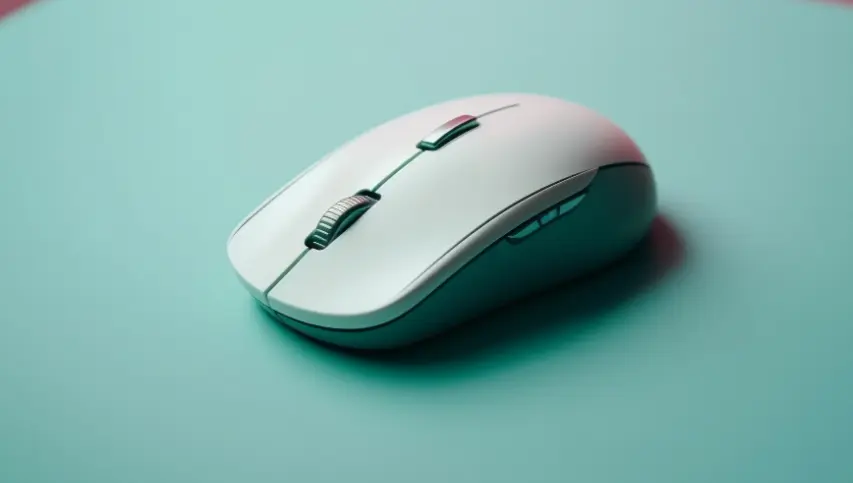
Gaming can involve long hours of sitting at a desk and making repeated movements with a mouse. Because of this, comfort is just as important as speed and precision. A Razer wireless gaming mouse can offer responsive control and a cable-free setup while supporting comfortable gameplay during extended sessions. An ergonomic gaming mouse is designed to support a more natural hand position while providing the control needed for different types of games. A suitable mouse can make everyday gaming more comfortable, especially for players who spend several hours at their computer.
Choosing a gaming mouse should involve more than looking at its appearance or technical specifications. Shape, size, weight, grip style, button placement, sensor performance, and connection type can all affect the way the mouse feels during use. Understanding these features can make it easier to find a mouse that suits individual needs.
Why Ergonomics Matters in Gaming
Ergonomics focuses on designing products around the way people naturally interact with them. For a gaming mouse, this means considering how the hand rests on the device and how easily the fingers can reach the buttons.
A mouse that feels uncomfortable can become tiring during extended sessions. Constant gripping, lifting, and clicking may place additional stress on the fingers, hand, wrist, or forearm. An ergonomic design aims to reduce unnecessary tension by providing a shape that works naturally with the user’s preferred grip.
Comfort does not guarantee that a player will avoid every form of discomfort or injury, but a well-fitting mouse can make long periods of computer use more manageable.
Finding the Right Mouse Shape
The shape of a gaming mouse is one of its most noticeable features. Some models have a rounded body that supports most of the palm, while others have a lower and narrower profile that allows greater finger movement.
Grip style also affects the choice. A palm grip involves resting most of the hand on the mouse. A claw grip raises part of the palm while keeping the fingers curved, while a fingertip grip relies mainly on the fingertips for control.
There is no single shape that suits every gamer. Hand size and personal preference should be considered alongside grip style when choosing a mouse.
Weight and Movement
Mouse weight can affect how quickly and comfortably a player can move across a mouse mat. Lightweight models may be easier to move rapidly, which can be useful for games that require frequent and fast adjustments. Heavier models can feel more stable to some users.
The right weight is largely a matter of personal preference. A mouse should feel controlled without requiring unnecessary effort to move or stop. The balance of the device can also influence how natural it feels during repeated movements.
Sensor Accuracy and DPI
A gaming mouse needs a reliable sensor to translate physical movement into accurate cursor movement. Modern optical sensors can provide precise tracking across a wide range of sensitivity settings.
DPI, or dots per inch, describes how far the cursor moves in response to physical mouse movement. Higher DPI settings produce greater cursor movement with smaller hand movements, while lower settings require more physical movement.
Adjustable DPI can be useful because different games and tasks may benefit from different sensitivity levels. The highest available DPI is not automatically the most useful setting. Consistency and controllability are often more important.
Wireless and Wired Connections
Modern gaming mice can use either wired or wireless connections. Wired models receive power through the cable and do not normally require battery charging. They can provide a consistent connection, although the cable may restrict movement or create additional resistance.
Wireless models offer greater freedom of movement and a cleaner desk setup. Modern wireless connections can provide low-latency performance that is suitable for gaming. Battery life is an important consideration, particularly for people who use their mouse frequently.
The best connection type depends on personal preferences, desk setup, and how much freedom of movement the user wants.
Buttons and Customisation
Programmable buttons can make a gaming mouse more flexible. Extra buttons allow users to assign commonly used commands, shortcuts, or functions without moving their hand to the keyboard.
However, more buttons are not always better. Excessive controls can make the mouse feel crowded and may cause accidental presses. Button placement should allow the fingers to reach controls naturally without changing the hand position unnecessarily.
Software can also allow users to adjust sensitivity, button assignments, lighting, and other settings. These customisation options can help create a setup suited to individual preferences.
Materials and Grip
The surface of a mouse can affect both comfort and control. Smooth materials may feel comfortable during normal use, while textured or rubberised sections can provide additional grip.
A secure grip is particularly useful during fast movements. However, surfaces that are too rough may become uncomfortable during long sessions. The material should provide enough control without making the hand feel restricted.
Build quality is another consideration. A mouse used regularly should feel solid, with buttons that respond consistently and a scroll wheel that moves smoothly.
Ergonomics Beyond the Mouse
A comfortable gaming setup involves more than the mouse. The keyboard, monitor, desk, chair, and mouse mat can all affect posture and comfort.
The monitor should be positioned at a suitable height, while the keyboard and mouse should be placed where the shoulders can remain relaxed. A chair that provides appropriate support can also make extended computer sessions more comfortable.
Regular breaks are important as well. Standing up, changing position, and allowing the hands and eyes to rest can reduce the strain associated with sitting and using a computer for long periods.
Choosing a Mouse for Your Needs
When comparing ergonomic gaming mice, focus on how the device feels rather than relying only on specifications. Consider hand size, grip style, preferred weight, button requirements, connection type, sensor performance, and available customisation.
If possible, testing different shapes can be useful because specifications cannot fully describe how a mouse will feel in the hand. A model that suits one gamer may feel uncomfortable to another.
Conclusion
An ergonomic gaming mouse combines comfort with the control needed for modern gaming. Shape, weight, sensor accuracy, connection, button placement, and surface materials all contribute to the overall experience.
The most suitable mouse is one that feels natural, supports the user’s preferred grip, and provides reliable control without creating unnecessary strain. Combined with a sensible desk setup and regular breaks, an ergonomic mouse can make gaming sessions more comfortable while still providing the precision and responsiveness players expect.
Also Read
- https://grammervision.com/strengthening-sovereign-capability-the-role-of-military-and-defence-electronic-manufacturing-in-australias-industrial-strategy/
https://grammervision.com/moving-with-a-large-household-how-professional-support-can-help/
https://grammervision.com/how-to-read-a-rehab-website-like-a-copy-editor/