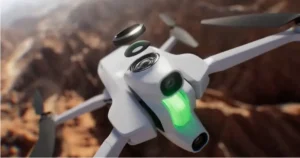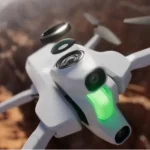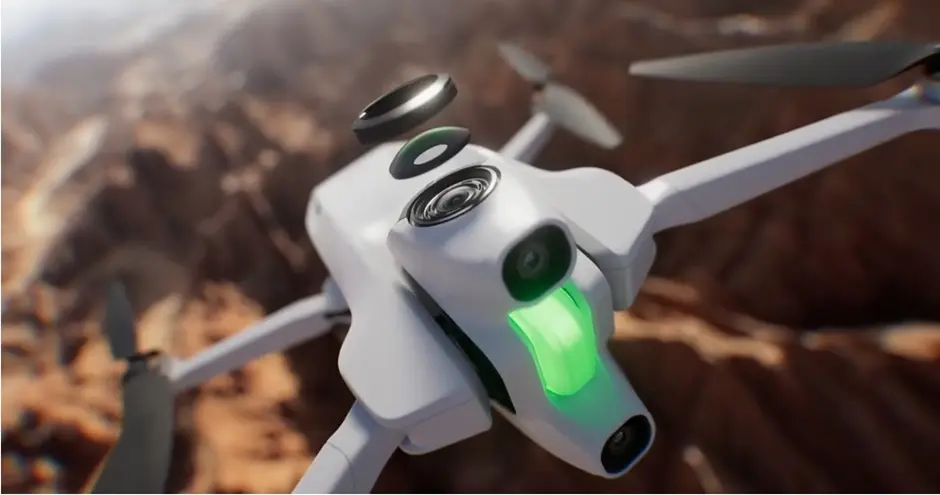
Both the Antigravity A1 and DJI Mini 4 Pro offer omnidirectional obstacle assistance, but their sensing systems and controls differ. The Mini 4 Pro suits pilots who prefer conventional stick control and directional filming. A1 combines panoramic sensing with an immersive 360-degree capture workflow. Neither drone is automatically safer in every situation: obstacle detection and avoidance depend on the surroundings, flight mode, and pilot inputs. The practical choice depends on your route, control preferences, and operating conditions.
Antigravity A1 vs DJI Mini 4 Pro at a Glance
The two drones use different sensing systems and control methods. These differences affect how you plan a shot, monitor nearby obstacles, and adjust the flight path.
| Feature | Antigravity A1 | DJI Mini 4 Pro |
| Sensing system | Panoramic camera sensing combined with forward and downward binocular vision | Omnidirectional binocular vision with a downward 3D infrared sensor |
| Coverage | Omnidirectional sensing through panoramic imagery and dedicated vision sensors | Forward, backward, lateral, upward, and downward sensing |
| Obstacle response | Brake by default; optional Bypass resets to Brake after restart | Brake or Bypass settings, subject to mode and conditions |
| Standard control workflow | Grip Motion Controller and Vision Goggles for immersive flight | Conventional sticks for forward, backward, sideways, and vertical movement |
| Sport mode | Obstacle avoidance unavailable in S mode | Obstacle sensing disabled |
| Filming approach | Capture 360 footage and reframe afterward | Compose directional shots during flight |
| Shared limitation | Performance depends on lighting, surfaces, speed, and obstacle visibility | Performance depends on lighting, surfaces, speed, and obstacle visibility |
How Antigravity A1 Obstacle Avoidance Works
Updated Omnidirectional Sensing
A1 combines panoramic camera sensing with forward and downward binocular vision to detect obstacles around the aircraft. The panoramic imagery extends environmental awareness beyond the dedicated sensors’ forward and downward views, supporting omnidirectional avoidance. When an obstacle is detected, A1 can brake or attempt to bypass it, depending on the selected setting and surrounding conditions. Although both drones offer omnidirectional assistance, their different sensing systems can respond differently to the same obstacle.
Brake, Bypass, and Firmware Settings
A1 defaults to Brake. Users can select Bypass in Safety Settings, but restarting the drone restores Brake. Check this setting before each session if the planned shot depends on bypass behavior. Keep the aircraft, goggles, controller, and app updated, then practice in an open area. Obstacle avoidance operates in C and N modes and is unavailable in S mode. Check the active mode and avoidance status before starting a route.
Flight Direction and Viewing Direction
A1 separates where you look from where the aircraft travels. Its goggles let you explore the panoramic view while Navigation Assist keeps the forward view visible. That can help orientation when attention shifts toward scenery beside the flight path. With the Grip Motion Controller’s standard forward-flight operation, the aircraft moves along its heading while your viewing direction can change independently. You can therefore create a backward-looking shot by reframing footage from a forward pass. Keep track of the aircraft’s actual heading when planning turns or approaching obstacles.
How DJI Mini 4 Pro Obstacle Sensing Works
Coverage and Measurement Ranges
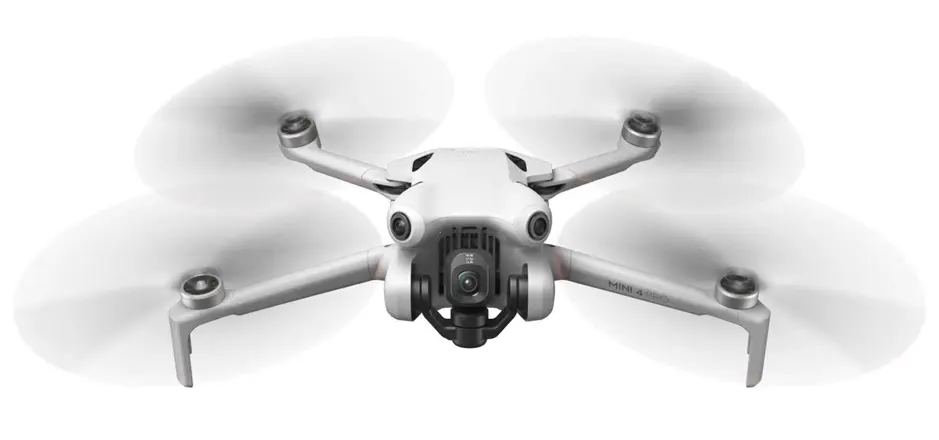
The Mini 4 Pro uses an omnidirectional binocular vision system supplemented by a bottom-mounted 3D infrared sensor. Its vision measurement ranges are 0.5–18 m forward, 0.5–15 m backward and upward, 0.5–12 m laterally, and 0.3–12 m downward. These are measurement ranges under suitable conditions, rather than guaranteed stopping distances. Its forward detection range extends to 200 m, but detecting an object at a distance does not mean the drone can reliably measure its position or avoid a collision throughout that range.
Conventional Controls and Flight Modes
The Mini 4 Pro’s stick controls allow pilots to move backward or sideways while keeping the camera aimed at a subject. This makes its control layout a practical fit for side-tracking, pullback shots, and deliberate repositioning. Whether those movements feel easier depends on the pilot’s experience. Obstacle sensing is disabled in Sport mode. Before takeoff, check the selected flight mode and obstacle settings so you know which assistance functions are active. Their availability can change with the settings used for the shot.
What Changes Around Real-World Obstacles?
Trees, Branches, and Wires
Thin branches and wires can be difficult for either drone to detect, even when larger trunks are visible. Plan a clear corridor and leave room to stop or turn. The Mini 4 Pro’s conventional controls may suit pilots accustomed to lateral corrections, while A1’s panoramic workflow offers different viewing options. In dense vegetation, neither control style removes the need to maintain clearance and monitor the route.
Buildings, Fences, and Tracking Routes
Near structures, assess the entire flight path, including walls, fences, and railings outside the camera view. Take extra care around glass and reflective surfaces. Before tracking or automated flights, inspect the route and allow room for braking and bypass detours. Anticipate how the drone’s path could change as the subject moves. Keep routes simple and easy to interrupt. Wide-angle previews can make obstacles appear farther away, so check clearance directly rather than relying solely on the screen for judging distances.
Open Landscapes and Confined Spaces
Open landscapes give both drones more room for course corrections. For creators choosing a foldable drone, A1’s main distinction is the ability to capture surrounding views and choose framing later. Mini 4 Pro suits conventional compositions made during flight. Tight indoor spaces introduce different problems: weak satellite reception, poor lighting, reflective surfaces, and limited recovery room. Omnidirectional sensing alone does not make either model suitable for narrow passages. Choose locations where you can maintain clearance throughout the flight.
Which Drone Should You Choose?
Choose DJI Mini 4 Pro for conventional stick controls, sideways and backward movement, and directional aerial filming. Choose Antigravity A1 for immersive viewing, 360-degree capture, and post-flight reframing. Both offer omnidirectional assistance, so consider how their controls and filming methods fit the shots you want to create. For your first drone, prioritize controls you can operate confidently while managing the camera and monitoring the flight path. Practice hovering, stopping, turning, and returning before attempting tracking or complex maneuvers. Choose a workflow that helps you stay aware of the surroundings and make controlled adjustments when the route changes.
Conclusion
The Antigravity A1 vs DJI Mini 4 Pro obstacle avoidance comparison comes down to sensing behavior, control preferences, and flight conditions. Mini 4 Pro offers conventional directional control; A1 combines immersive 360 capture with omnidirectional obstacle assistance. Choose the workflow you can manage confidently, confirm the active flight settings, and maintain generous clearance around obstacles.
Also Read
- https://grammervision.com/seasonal-dtf-merchandise-planning/
https://grammervision.com/stop-polling-google-calendar-a-push-and-sync-loop-that-survives-production/
https://grammervision.com/strengthening-sovereign-capability-the-role-of-military-and-defence-electronic-manufacturing-in-australias-industrial-strategy/